- Open the Animatic tab in Video Studio
- How to make a film with AI: from screenplay to edit
- How much AI video generation costs
What an animatic is and why it comes before AI video
A storyboard shows separate pictures. An animatic adds time and motion: you can see whether the hero reaches the car in three seconds, where he ends up at the end of the shot and what the camera sees when it rises. Professional previs (previsualization) is done in 3D software such as Blender, where you place actors, set paths and look at the scene through a virtual lens. That gives full control but requires installing and learning the software.
For AI video an animatic is especially useful. A model generates the whole shot and knows nothing about your blocking. If the prompt does not make clear where the hero enters and where the camera moves, you find out only after paying for the generation. An animatic lets you agree on the scene first — with yourself, a client or a team — and only then run the expensive model.
How to make a 3D animatic: step by step
- Open the Animatic tabIn Cormak Video Studio the tabs follow the order of work: Generate, Animatic, Cinema Studio, Canvas. Open Animatic — you don’t need an account. At the top, choose the frame format: 16:9 for YouTube and websites, 9:16 for Reels, Shorts and TikTok, 1:1 for feeds.
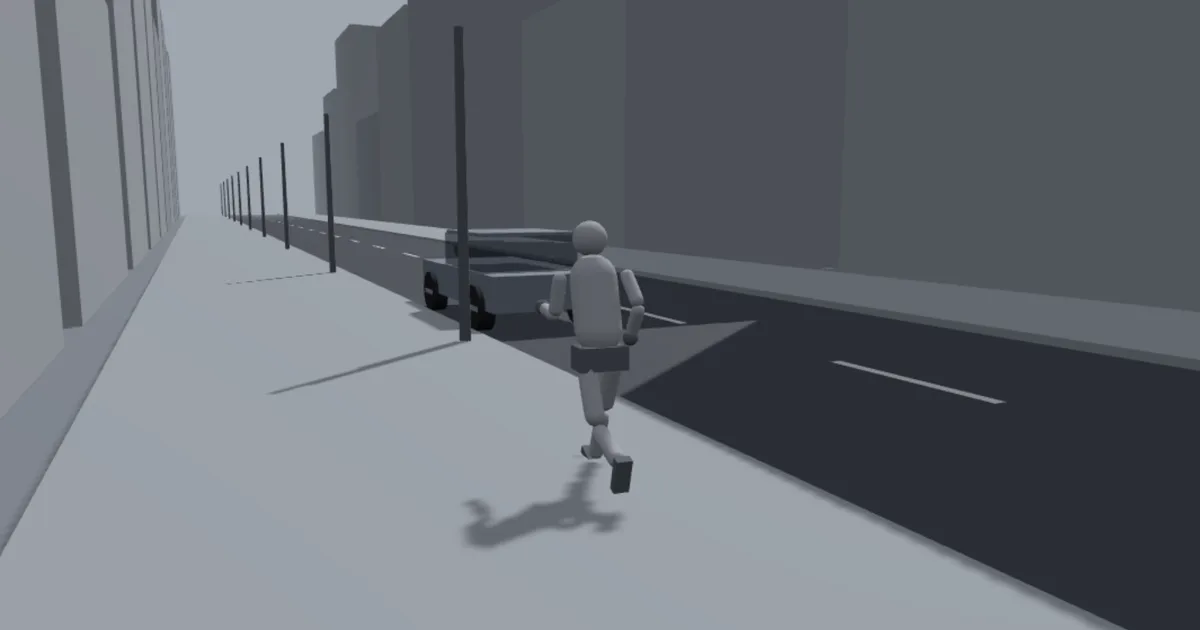
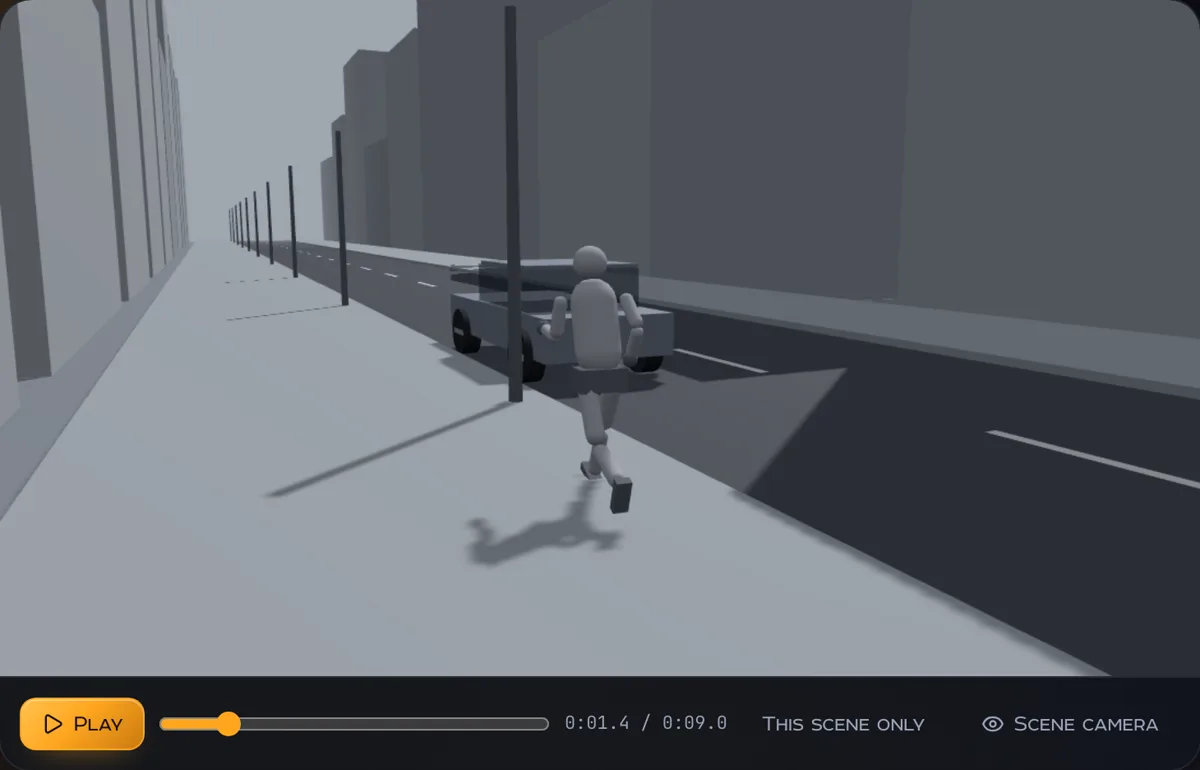
- Describe the scene in one or two sentencesName the place, the participants, their actions in order and the camera move. For example: “A man runs down the street, gets into the car and drives away. The camera follows him, then rises up.” The order of the text becomes the order of events on the timeline.
- Press “Lay out the scene”Cormak places the objects, assigns each one its actions and timing and creates the camera shots. Two lists appear below the field: Recognised — what the app understood — and Needs manual setup — what it did not. Anything unrecognised is never turned into invented motion; you build it by hand.
- Adjust objects and actionsIn the Objects panel every participant has a position, a heading and a list of actions over time — From and To in seconds. For walking, running and driving you can enable “Move to a point” and set coordinates; for getting into a car you pick the car. Add people, a car and props with the buttons above the list.
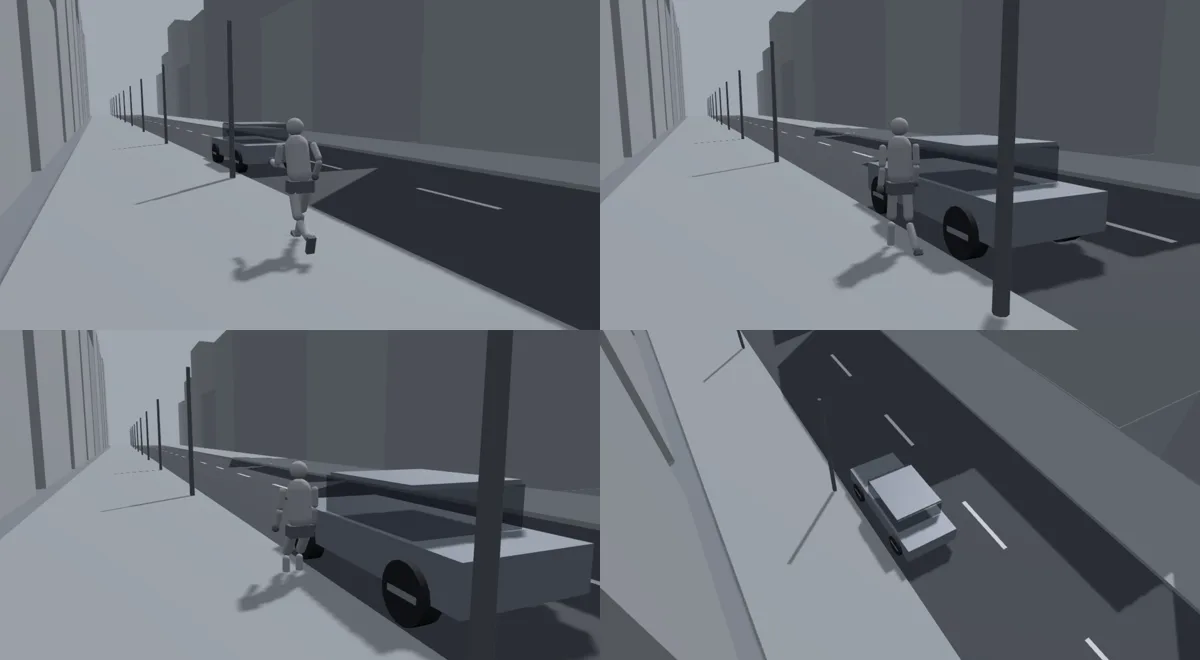
- Set up the cameraEach camera shot is a time range with its own move: static, follow, dolly in, orbit, crane up and others. For each shot you set the subject, distance, height, angle and lens. The boundary between camera shots works like an edit cut.
- Watch the scene and the sequencePlay runs the scene and the slider lets you stop at any moment. Free view lets you orbit the scene with a mouse or a finger — a frame shows where the shot camera is looking. Add more scenes and switch to Whole sequence to check the full story.
- Export an MP4Choose 12 or 24 frames per second and press Export MP4. The 480p video is encoded on your device and is ready to download right away — handy to send to a client or a team chat.
- Continue in Cinema StudioContinue in Cinema Studio (sign-in required) creates a film: each camera shot becomes a film shot with an action description, timing and camera move, and the MP4 and keyframes go to the film materials. Then you draw keyframes and generate video — only when you press the button, with the price shown first.
How to describe a scene so it lays itself out
The description parser is not a neural network but a vocabulary that runs in the browser. That makes it free and predictable, but it understands a limited set of words. Write simple sentences with one action per clause, in the order things happen. Both English and Russian text work.
| What | Example words | What you get |
|---|---|---|
| Place | street, city; road, highway; park, forest; room, cafe, office; studio | A street with sidewalks and buildings, a country road, a park with trees, a room or an empty studio with a grid |
| People | man, guy; woman, girl; child, kid, boy; person; two people | Grey mannequins of different heights; a child is shorter than an adult |
| Car and props | car, taxi; tree, table, chair, house, lamp, bench, box | A car with spinning wheels and simple props made of primitives |
| People’s actions | walks, runs, jumps, waves, sits, talks, falls, dances, stands, gets into the car | Procedural animation of walking, running, gestures and getting seated |
| Car | drives away, drives, speeds | The car pulls away and drives off; after someone gets in, a driver is visible |
| Camera | follows; rises, crane up; orbits, around; closer, close-up; wide shot, zoom out; top-down; handheld; static; pans | Camera shots in order: “first…, then…” splits the scene into parts |
A girl walks through the park and sits on a bench. The camera moves closer.

A man talks to a woman by the house. The camera orbits around them.

A car drives along the country road. Top-down camera.

A kid runs across the room, jumps and waves. Handheld camera.- Each action gets a typical duration: running about 2.5 s, walking 3 s, getting into a car 2.2 s, driving 3.5 s. The scene length adapts to the total, and you can change it by hand.
- If running comes right before getting into the car, the hero runs to the driver door, and after he gets in the camera keeps the car in frame.
- The words “camera” and “shot” tell the parser that a clause is about filming, not about the hero’s action.
- If the actions do not fit into 20 seconds, the extra is cut and Cormak tells you so. Split the story into several scenes.
Camera moves: what each one does
| Move | When to use it | What the generator receives |
|---|---|---|
| Static shot | Dialogue, a product, a pause. The viewer watches the action, not the camera | locked-off static camera |
| Pan with subject | The hero passes by; the camera stays in place and turns to follow | camera pans to keep the subject in frame |
| Follows subject | A chase, a walk, energy. The camera travels behind the hero at a fixed distance | tracking camera follows the subject |
| Crane up | The end of a scene, a move to a wide shot, a sense of scale | camera cranes up and rises high |
| Orbit | Showing a hero or a product from all sides, a big moment | camera orbits around the subject |
| Dolly in | Emphasis on emotion or a detail, building tension | slow dolly-in push toward the subject |
| Dolly out | Reveal where the hero is, close a beat | dolly-out pull back revealing the surroundings |
| Top-down | A car’s route, people’s positions, a map of the action | top-down aerial view |
| Handheld | A documentary feel, liveliness, reportage | handheld camera with subtle shake |
The lens changes the feel of a shot too. A field of view of 55° or wider gives a wide shot with strong perspective, around 40–45° a natural view, and 30° or narrower compresses space for close-ups. Cinema Studio receives a text description of the lens, height and distance, so set them before moving on.
Multiple scenes, vertical video and MP4 export
One animatic holds up to 12 scenes, each 2 to 20 seconds long, up to two minutes in total. You can reorder scenes, and Whole sequence plays them back to back like a rough cut. The 9:16 format is for vertical video: check that the hero does not leave the narrow frame during a crane or orbit move.
- The export is a draft 480p MP4 (854×480 for 16:9) with a “3D draft” label at the bottom so nobody mistakes it for a finished video.
- 12 frames per second is enough for approval; 24 helps check how smooth the camera move is.
- Exporting an unchanged animatic again reuses the previous result instead of rendering it twice.
- Drafts are stored in your browser — up to 30 animatics. Clearing site data deletes them, so export or move important ones to Cinema Studio.
From animatic to finished video
After the move to Cinema Studio, every film shot already has a description of who does what, the timing from the animatic and the camera move in English — the language video models understand best. The grey animatic frame is not used as the first frame of a generation, otherwise the model would animate grey mannequins. It stays in the film materials as a composition reference. You define how the characters and places look in Cinema Studio, then draw a keyframe for each shot and generate the video.
Animatics and Seedance: an honest look at cost
It is tempting to think you can hand an animatic to a video model as a motion reference and pay less. Seedance can indeed take a video reference, but it charges for it: tokens are counted for the reference length plus the output length, albeit at a lower rate. The provider also applies a minimum for short references. Here is the math at OpenRouter prices as of November 23, 2026:
| Option | With an animatic reference | From text |
|---|---|---|
| Seedance 2.0, 720p, 8 s clip + 8 s reference | $1.49 | $1.21 |
| Seedance 2.0 Fast, 480p, 8 s clip + 9 s reference | $0.54 | $0.43 |
A single request with a reference costs roughly a quarter more. That is why Cormak has not connected animatic video references yet: we will enable them only after checking the real cost, with the price shown before launch. An animatic saves money another way — by cutting the number of failed generations.
- Blocking mistakes show up before you pay: the hero walks the wrong way, the car hides his face, the crane move drifts into empty sky.
- Timing is checked in advance, so you choose each shot length on purpose instead of padding it.
- A client approves the scene from a draft MP4, so changes after generation become rare.
- You can see at once which shots can use a fast, cheap model and which deserve top quality.
Limitations to know about
- These are grey mannequins and simple shapes. There are no faces, clothes or materials — an animatic answers “where” and “when”, not “what it looks like”.
- You cannot upload your own 3D model or character yet. The set of objects and actions is fixed.
- The vocabulary handles simple sentences. Complex actions such as a fight or loading boxes are built by hand from the available moves.
- One scene holds up to 8 objects, up to 12 actions each and up to 6 camera shots.
- You need a browser with WebGL. MP4 export works in Chrome, Edge or Safari 17 and later. The animatic works on a phone, but long sequences are easier to build on a computer.